
Grown-ups set the routine
Create local child profiles, choose subjects, set questions per round, and decide how many minutes practice can earn.
Learning that unlocks more
Kids build skills in math, reading, vocabulary, and puzzles. Grown-ups set the routine, and ScreenQuest turns each practice round into meaningful screen-time rewards.
A calmer family rhythm
ScreenQuest gives children a clear path forward while keeping the important choices with a grown-up.
Create local child profiles, choose subjects, set questions per round, and decide how many minutes practice can earn.
Friendly narration, visual aids, multiple-choice answers, and age-appropriate encouragement keep the experience focused.
On shared Android devices, optional App Protection can require earned time for apps selected by the grown-up.
Inside ScreenQuest
Big targets, focused questions, and visible progress are designed for family devices of different sizes.
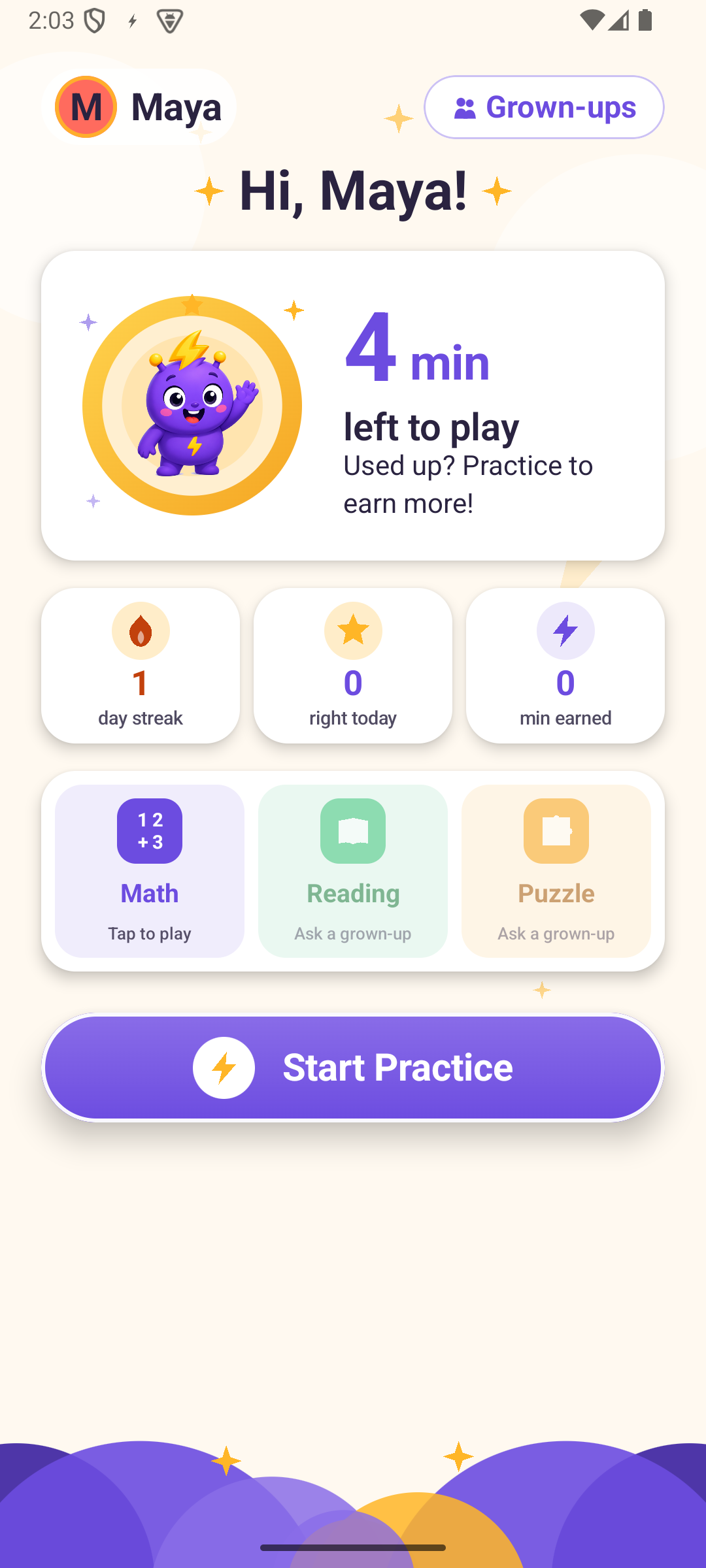
See time remaining, choose a subject, or start a mixed practice round.
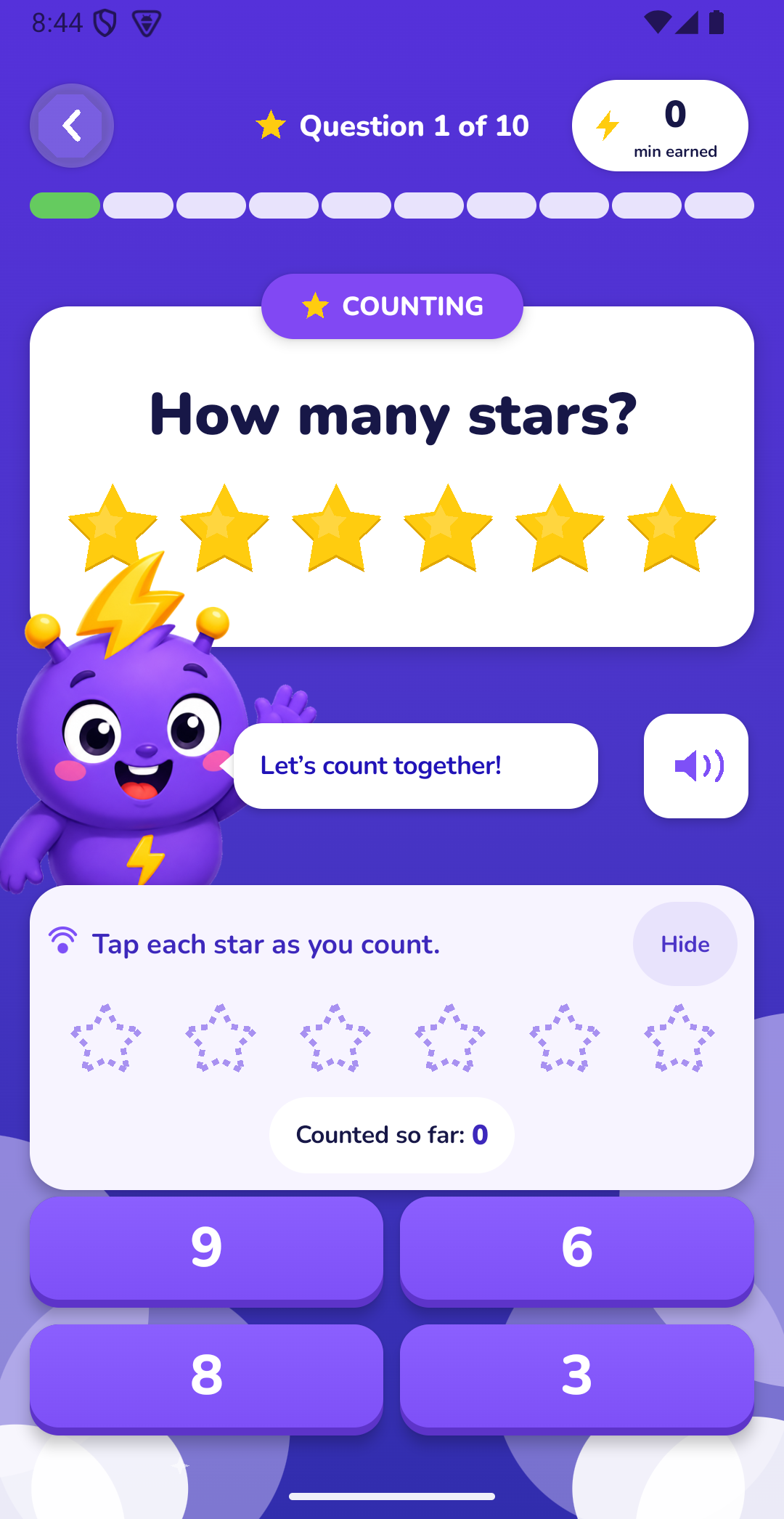
Narration, visual aids, and large answers help younger learners stay with the question.
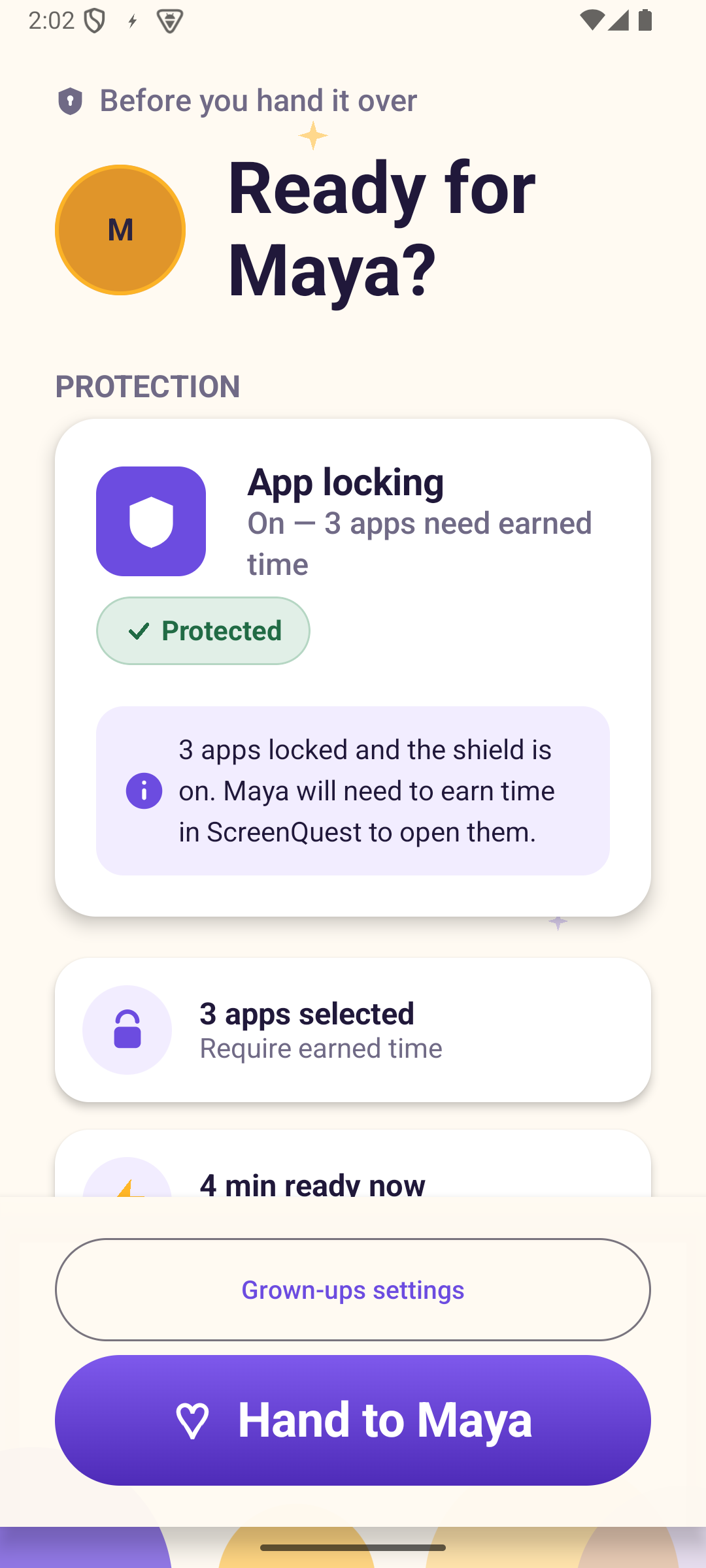
Review selected apps, earned time, protection status, and quiet hours before child use.
Thoughtful by design
Math, reading, vocabulary, and puzzle questions span Pre-K through Grade 8.
Questions and answer choices can be read aloud using the Android device's selected voice.
Counting, number, and pattern supports make early-learning questions easier to understand.
Per-child mastery and gently worded focus areas help grown-ups see where support may help.
Earned time counts down as selected apps are used, so the displayed balance stays useful.
Younger children get playful celebrations while older learners receive a more mature response.
Grown-ups stay in charge
Parent controls are protected by a local PIN. App Protection is optional and can be turned off from the Parents Center.
Explore parent supportNo advertising, chat, social profiles, camera, microphone, or location access. Child profiles and learning records stay with the app on the device.
ScreenQuest Plus
A seven-day, no-card trial begins after grown-up setup. Continue with the plan that fits your family.
Month-to-month flexibility with automatic renewal through Google Play.
About $4.17 per month, billed annually through Google Play.
US launch pricing shown. Google Play displays the final localized price, taxes, billing period, and renewal terms before purchase. Plans renew automatically until cancelled.
Questions from grown-ups
No. ScreenQuest does not create child accounts. Profiles, learning history, reward rules, and selected-app usage remain with the app on the Android device.
No. It is an optional family-routine feature for shared Android devices. You can use all learning features without enabling App Protection.
When App Protection is enabled by a grown-up, ScreenQuest uses Usage Access to recognize a selected foreground app, notifications for a visible protection service, and optional full-screen alert access. Each request is explained before Android Settings opens.
No. ScreenQuest is a learning and family-routine tool, not security software or an emergency service. It complements—rather than replaces—adult supervision and Android's built-in safety tools.
Subscriptions are managed through Google Play. Cancelling stops future renewal while access normally continues through the current paid period. Deleting the app does not cancel a subscription.
Visit the Support Center or email support@screenquest.tech. Never send a parent PIN, Google password, or payment-card information.
Closed testing on Android
Adult testers can try ScreenQuest on their own Android phone or tablet and share private feedback before public release.
Ask to join the test